


Car Scanner ELM OBD2
4.77.59K Reviews
App Specs
- Version
- 2.1.50
- Updated On
- License
- Free
- Downloads
- 10,000,000+
- Developer
- CAR SCANNER LLC
- Categories
- Auto & Vehicles
- Platform
- Android, iOS
Screenshots
 Analysis by AppCompare
Ever wondered what's going on under the hood of your car without having to rely on a mechanic? Well, let me introduce you to Car Scanner ELM OBD2, an app that's become my go-to for all things car diagnostics. I’ve been tinkering around with it for a bit, and here's what I think.
Getting Started with Car Scanner ELM OBD2
First off, setting up the Car Scanner ELM OBD2 app is a breeze. You’ll need an ELM327 adapter, which you can snag from most online retailers. Once you’ve got that, just plug it into your car's OBD2 port, pop open the app, and you’re ready to dive into the world of car diagnostics. The app connects seamlessly via Bluetooth, and I didn’t encounter any hiccups during my initial setup. It’s almost like having a mini mechanic in your pocket!
Features That Stand Out
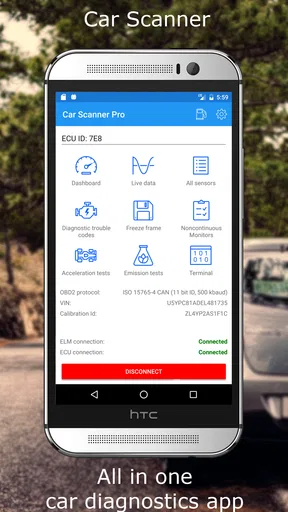
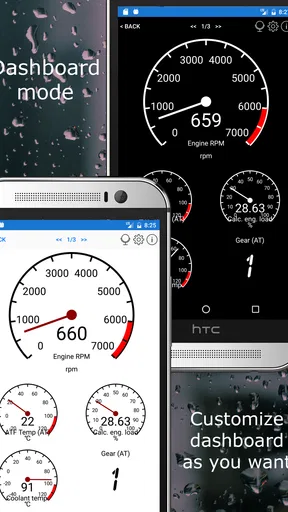
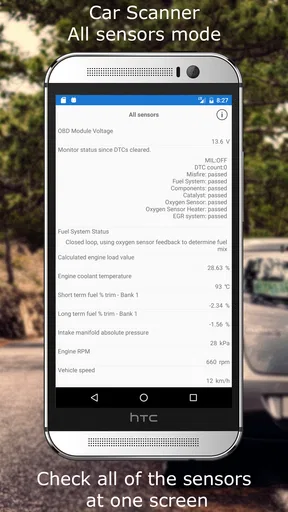
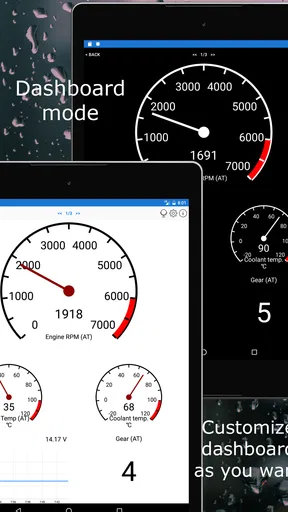
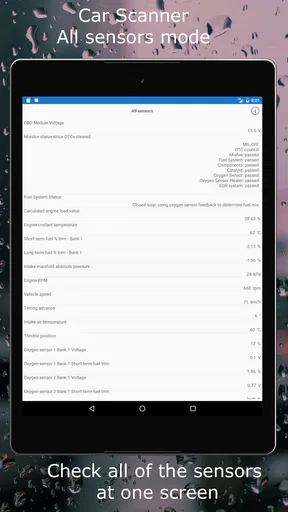
The app offers a ton of features that are super handy. One of my favorites is the real-time data display. You can monitor things like engine load, coolant temperature, and fuel pressure. It's pretty cool seeing all this info in real time, especially if you’re a bit of a car nerd like I am.
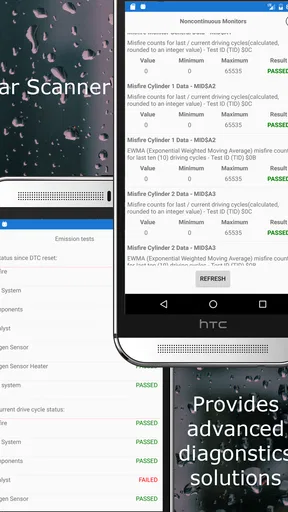
Another standout feature is the fault code reader. It’s like having a secret decoder ring for your car’s problems. If something’s up, you can see exactly what’s wrong and decide whether it’s a DIY fix or something for the pros. It’s saved me a trip to the mechanic more than once!
User Experience and Interface
The interface is clean and intuitive. You don’t need to be a tech wiz to navigate through the app. Everything is laid out in a way that makes sense, and the app doesn’t overwhelm you with too much data at once. I really appreciate the user-friendly design, as it makes the whole experience much more enjoyable.
One thing that might be a bit of a learning curve is understanding some of the technical jargon. But hey, Google is your friend, and there’s a bunch of resources within the app to help you out. So, don’t let that scare you off!
Why You Should Try It
If you're the type who loves to know exactly what's happening with your vehicle, or if you just want to save yourself some cash on diagnostic fees, Car Scanner ELM OBD2 is worth checking out. It’s a handy tool that offers a lot of insight into your car’s health.
Worth Reading Before You Choose

Flipboard Shows What News Apps Must Do Beyond the Feed

Switching to Android Auto Means Rethinking Your Driving Routine

Google Calendar Makes a Crowded Week Easier to Manage

Ludo King Makes the Most of the Minutes Between Plans

Baby Panda World Brings Quick Play to Modern Phones, but Its Game Library Feels Busy

ESPN’s Live Game View Makes Following Close Games Easier
Plus, the app is regularly updated, which means new features and improvements are always on the horizon. That’s something I really value in an app—it keeps getting better!
In a nutshell, this app is a fantastic companion for anyone who wants to take control of their car maintenance. Whether you’re an experienced car enthusiast or just someone who wants to know more about their ride, Car Scanner ELM OBD2 is a must-try.
Pros
- Comprehensive diagnostics with real-time data.
- User-friendly interface for easy navigation.
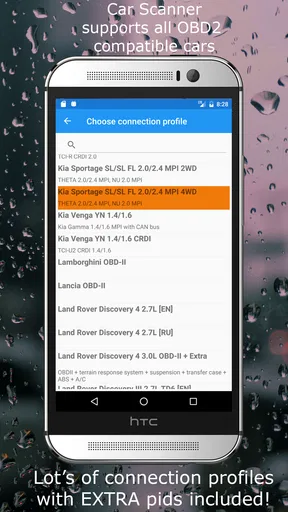
- Supports multiple vehicle brands and models.
- Customizable dashboards for personalized views.
- Regular updates with new features and fixes.
Cons
- Requires a compatible OBD2 adapter.
- Limited features in the free version.
- May have connectivity issues with some cars.
- Advanced features can be complex for beginners.
- In-app ads can be intrusive at times.
FAQs for Car Scanner ELM OBD2
What is Car Scanner ELM OBD2 and how does it work?
Car Scanner ELM OBD2 is an app that connects to your vehicle's onboard diagnostics (OBD) system using an ELM327 adapter. It provides real-time data about your car’s performance, diagnostic trouble codes, and live sensor readings. This enables you to monitor your vehicle’s health and identify potential issues before they become serious.
Is Car Scanner ELM OBD2 compatible with all vehicles?
Car Scanner ELM OBD2 is compatible with most cars manufactured after 1996, as these vehicles support the OBD2 protocol. However, compatibility can vary based on the make and model. It’s advisable to check if your specific vehicle model is supported by consulting the app’s compatibility list or contacting customer support.
What features does Car Scanner ELM OBD2 offer?
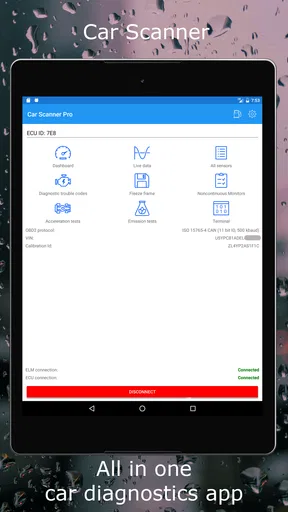
The app offers a variety of features, including real-time monitoring of engine parameters, reading and clearing diagnostic trouble codes, fuel consumption tracking, and customizable dashboards. It also provides detailed vehicle performance reports and supports multiple OBD2 protocols, making it a versatile tool for car enthusiasts and mechanics alike.
Do I need any additional hardware to use Car Scanner ELM OBD2?
Yes, to use Car Scanner ELM OBD2, you need an ELM327 Bluetooth or Wi-Fi adapter that connects your smartphone to your car’s OBD2 port. This adapter is essential for the app to communicate with your vehicle’s diagnostic system and provide data on your device.
Is Car Scanner ELM OBD2 user-friendly for beginners?
Car Scanner ELM OBD2 is designed with a user-friendly interface that caters to both beginners and experienced users. It provides easy-to-understand visuals and explanations for various diagnostic data, making it accessible for those new to car diagnostics. Additionally, the app supports multiple languages and offers a comprehensive user manual.


